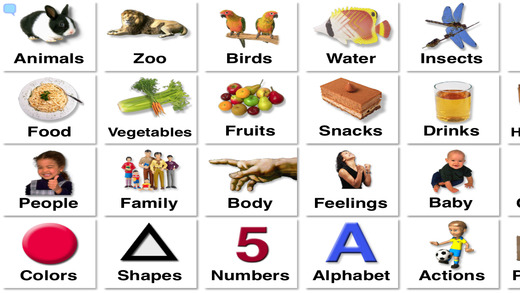
The Talking Picture Board
App is great for users who might need help clarifying themselves due to
unintelligible speech. This allows users to not have to repeat
themselves over and over again. However, they can simply go into this
app and choose from over 800 symbols to find what they are looking for.
Users can also add in their own pictures!
The Making Sequences App
is designed to help teach story order and master steps of completing
various tasks. The app comes with 15 sequences along with narration.
Users can also create their own sequences using their own images and
recording their voice. These sequences can also be shared via Dropbox.
The iModeling app
is a great way to use video modeling with students. It has a very
simple and user friendly interface. Users can record and edit footage,
assign a video model to a specific student account, add a reward image
for watching the video model, and more!
ColorCards
has a series of apps. All of these apps are meant to help users
speech and language skills. The apps vary from What can you see? to
Sequencing 6-8 Steps.
The WritePad
for the iPad app is a unique app that lets you take notes in your own
handwriting. After you take your notes in your own handwriting the app
immediately converts your written work into digital text with the use of
handwriting recognition software.
The same company also produces a similar app called PhatPad.
This app allows you to create and audio note, draw, write, and type
your ideas. You also have the option of using the handwriting
recognition software. This app will pop up a line to handwrite on at
the bottom of the app. You write your work there and it will turn your
handwriting into text. This is different then WritePad because WritePad
allows you to type anywhere in the app and the handwriting can be
turned into text.
WritePad costs $7.99 and PhatPad costs $4.99. However, if you bundle the apps you can purchase them both for $7.99!